Ride along for a shift before you design the field app.
Spend one shift in the van with the person who'll use your field app. Gloves, a weak signal, and a customer watching will redesign it faster than any workshop.
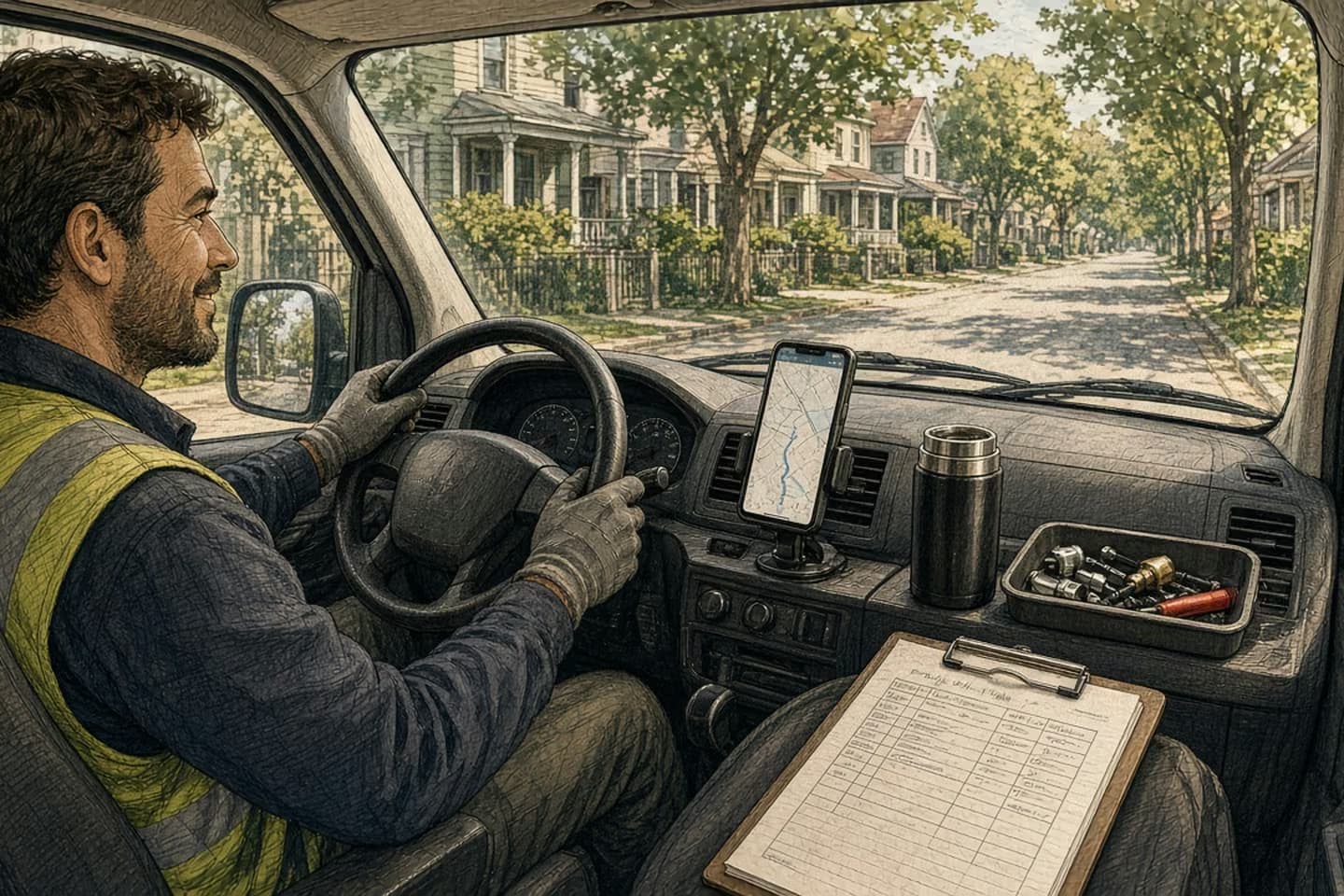
Before designing a mobile app for field staff, spend a real shift with them. Note what they can do one-handed, where the signal drops, what they still write on paper and why, and the few moments in each visit where the app has to help: arriving, finding out what's needed, doing the work, proving it's done, and moving on. Design for those moments and for a bad connection first.
6:52 a.m., in the van
The technician's phone is in a holder on the dashboard, showing directions. On the passenger seat there's a clipboard with the day's job sheets, printed last night, with handwritten notes in the margins. A thermos. A box of parts. A second phone, the personal one, which is how the dispatcher actually reaches her when something changes.
First job: a basement plant room in an older building. She parks, pulls on work gloves, grabs the clipboard and the parts box, and heads down. By the second flight of stairs the signal is gone.
She does the work. She takes three photos with her phone, mostly by tapping the screen with a knuckle because the gloves don't work on glass. She gets the building manager to sign the paper sheet. She'll type the details into the company app later, in the van, from memory and from the photos, before the next job. Or at lunch. Or tonight.
The office will see this job as "in progress" until then. And that's the version of the day the office makes decisions from.
What a shift tells you that a workshop doesn't
If you'd asked her in a meeting room what she needed from a new app, she'd have given you a reasonable list. Faster forms. Fewer required fields. Better photos. All true, and none of it gets to what you saw in the van.
The shift shows you the conditions. She has one free hand most of the time, sometimes none. Her gloves don't work with touchscreens. She loses signal in exactly the places where the work happens: basements, plant rooms, the backs of warehouses, rural sites. Someone is often watching her, wanting to know when she'll be done. And the day changes under her: a job gets added, a part is wrong, a customer isn't home.
It also shows you the workarounds. The personal phone is the real dispatch channel. The margin notes on the job sheet are where the useful information lives: the gate code, the dog, "ask for Ray, not reception." The photos are evidence for a dispute that might happen months later.
None of that comes up in a workshop, because people don't think of their workarounds as requirements. They think of them as just how the job works.
The paper job sheet survived for a reason. Find out what it is before you replace it.
Five moments in every visit
After a shift or two, most field jobs break down into a handful of moments. The app doesn't need to be good at everything. It needs to be very good at these.
Arriving. Where exactly, how to get in, who to ask for, anything to know before knocking. That's the margin notes, made findable.
Finding out what's needed. The job details, the history at this site, the parts that should be in the van. One screen, readable at a glance.
Doing the work. The app mostly gets out of the way. If it needs anything here, it's a way to record a measurement or a reading without taking gloves off: big targets, voice, or a quick photo.
Proving it's done. Photos, a signature, a short note, captured on the spot so nobody types it later from memory. This is where most of the office's picture of the day comes from.
Moving on. Close the job, see what's next, and tell the office about anything that changes the rest of the day.
For each moment, write down what she needs to see, what she needs to capture, and what can wait until later. You'll find that "later" is a legitimate answer for more fields than the current app allows.
Sequence of work
Five moments in a field visit
- Arrive
Access, who to ask for, and the site notes that used to live in the margins.
- Find out what's needed
Job details, site history, and expected parts on one screen.
- Do the work
The app stays out of the way; readings by big targets, voice, or photo.
- Prove it's done
Photos, signature, and a note captured on the spot.
- Move on
Close the job, see what's next, and flag anything that changes the day.
Design for one bar of signal
If the work happens where the signal doesn't, then a bad connection isn't an edge case. It's the normal case, and the app should be designed around it.
That means the job details are already on the phone before she goes downstairs. Anything she captures is saved on the device straight away and sent when the connection comes back. And the app shows, honestly and plainly, what has been sent and what's still waiting, so she isn't wondering whether the signature went through.
It also means deciding ahead of time what happens when two people change the same job while one of them is offline: the dispatcher reassigns it while she's marking it done in the basement. Pick the rule, decide who gets told, and make it visible. The worst version is the one where the app quietly picks a winner and nobody finds out until the customer calls.
Ask why the paper survived
Every field team that's been through a software rollout has a piece of paper that refused to die. Before you replace it, find out what it's doing that the software didn't.
Often the answer is mundane and important. Paper doesn't run out of battery. It works with gloves on. The customer can sign it without being handed someone's phone. The technician can scribble a note in two seconds without opening anything. It's also hers: she can see the whole day at once, in the order she wants.
Those are design requirements. A good field app either matches them or makes a deliberate trade, like a signature on the screen in exchange for nobody re-typing it later. If you can't name the trade, people will keep the paper, and you'll have two systems.
Decision guide
Designed at a desk, or on the shift
| Consideration | Designed at a desk | Designed on the shift |
|---|---|---|
| Connection | Assumed; offline is an error message. | Expected to drop; work saves locally and shows what's still waiting. |
| Hands | Two hands, no gloves, small buttons. | One hand or gloves; big targets, photos, and voice. |
| Required fields | Everything before you can close the job. | Only what's needed now; the rest can wait. |
| Site knowledge | In the technician's head or the margins. | Findable at arrival, editable by the people who learn it. |
| Paper | Banned, then quietly kept. | Replaced only where the trade is clear. |
Before the first screen
If you're about to build or replace a field app, start with a shift. Pick the most common job and spend a day with someone who does it. Take notes, take photos of the clipboard, and ask about every workaround you see. Then design for the five moments and for one bar of signal, and put an early version in their hands as soon as it can do one job end to end.
The same instinct sat behind our work on WorkStep: the people closest to the operation often understand its problems first. Field software is where that matters most.
When we build mobile applications, this is where we start: a real shift, the shortest reliable path from "assigned" to "done," and the systems in the office that need to hear about it. If your team still finishes the paperwork in the van, tell us about the job, and we'll come along for the ride.
We build alongside the people doing the work.
Bring us the problem you’re thinking about.